50 Best Chat Apps For IOS | Tested & Compared For You
Best Chat Apps For IPhone Users In 2025
If you own an iPhone, you already know that iMessage and FaceTime cover the basics but sometimes, you need more. Maybe you want stronger privacy, fun group features, or a way to connect with friends who don’t use Apple devices. With so many messaging apps in the App Store, choosing the right one can feel like a full-time job.
That’s why I’ve put together this guide to the50best chat apps for iOSin 2025. Each app has been reviewed for its security, features, user experience, and real-world performance, so you can skip the noise and pick the one that actually improves how you connect.
1. WhatsApp
Best For:Everyday users, families, international chats, and anyone who wants a reliable, free messaging app.
WhatsApp is the most widely used chat app in the world, with over two billion people relying on it daily. It’s simple, fast, and works almost everywhere. What I like about WhatsApp is how it makes staying connected easy, whether you’re texting your best friend next door or video calling family across the globe. It’s also encrypted, so your private conversations stay private.
Key Features:
- End-to-end encryption by default for all chats and calls
- Free international messaging and calling
- Supports photos, videos, voice notes, and file sharing
- Group chats for up to 1,024 people
- WhatsApp Web and desktop apps available
2. IMessage
Best For:iPhone users who want seamless, built-in messaging with strong privacy features.
iMessage is Apple’s very own messaging app, built right into every iPhone. It feels natural to use because it’s already connected to your contacts. Messages show up instantly, and if the person you’re texting also has an iPhone, you get the famous blue bubbles. What sets iMessage apart is how well it blends into the Apple ecosystem, syncing across iPad, Mac, and Apple Watch. It’s no surprise that iMessage often appears on lists of the best ios apps, since it combines speed, reliability, and seamless integration.
Key Features:
- End-to-end encryption between Apple devices
- Rich messaging: photos, videos, stickers, and effects
- Works seamlessly with FaceTime
- Apple Pay support for easy money transfers
- Syncs across all Apple devices
3. Facebook Messenger
Best For:People who want to chat while staying connected to their Facebook community.
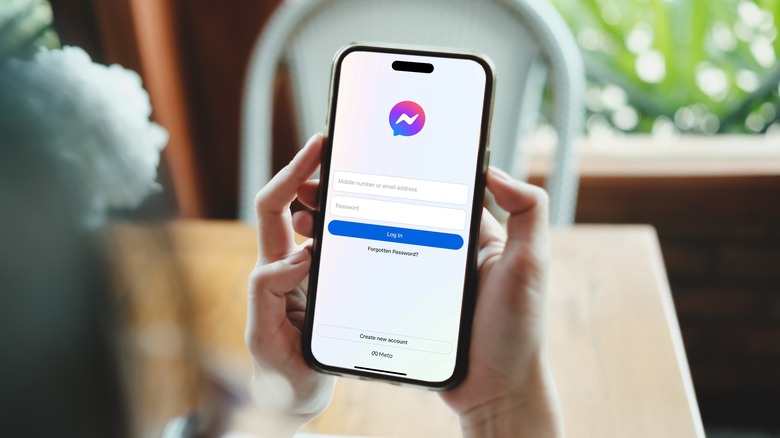
Messenger is tied directly to Facebook, which makes it a go-to app if you already spend time on the platform. It’s not just for chatting it’s full of extras like games, polls, and stories. The downside is that it can feel heavy compared to simpler apps, but for many people, it’s a fun way to keep up with friends and family.
Key Features:
- Instant messaging with text, voice, and video
- Cross-platform: iOS, Android, and web
- Group chats with reactions, polls, and GIFs
- Video calls and Rooms for larger groups
- Integration with Facebook and Instagram
4. Telegram
Best For:Power users, large communities, and anyone who loves customization.
Telegram is fast, flexible, and packed with features. Unlike most chat apps, it supports giant group chats (up to 200,000 people) and has powerful channels for broadcasting. Telegram gives you control over everything, whether it’s customizing themes, using bots, or saving unlimited files in the cloud.
Key Features:
- Cloud-based chats that sync across all devices
- Secret Chats with end-to-end encryption
- Supergroups up to 200,000 members
- Unlimited file and media sharing
- Bots, stickers, and themes for personalization
Related: 25 Best Free Travel Apps For IPhone To Simplify Your Trips
5. Signal Private Messenger
Best For:Privacy advocates, journalists, activists, and anyone prioritizing security over convenience.
Signal stands as the gold standard for secure messaging, with state-of-the-art end-to-end encryption powered by the open-source Signal Protocol. Every message, call, and shared file remains completely private; even Signal cannot access your conversations. It’s clean, simple, and focused entirely on security.
Key Features:
- Zero data collection or storage
- Disappearing messages with custom timers
- Voice and video calls with full encryption
- Group chats up to 1,000 members
- Desktop and web versions available
6. Discord
Best For:Gamers, online communities, and groups who want to combine chat with voice and video.
Discord started as a gamer’s paradise, but today it’s home to communities of all kinds music fans, study groups, hobbyists, and more. It feels more like a mix of a chat app and a community hub, with “servers” where groups can organize channels for text, voice, or video.
Key Features:
- Servers with multiple chat and voice channels
- High-quality voice chat with low latency
- Screen sharing and live streaming
- Bots for moderation and fun activities
- Works on iOS, Android, desktop, and web
7. Viber
Best For:International users, families, and anyone who wants both fun and secure chats.
Viber is hugely popular in parts of Europe, the Middle East, and Asia. It’s secure (with end-to-end encryption) and full of personality thanks to its stickers and GIFs. The app also offers affordable international calls to landlines, which makes it great for staying in touch with relatives abroad.
Key Features:
- Free voice and video calls worldwide
- End-to-end encryption for messages and calls
- Fun stickers, emojis, and GIFs
- Communities and group chats
- Viber Out for low-cost international calls
8. Line
Best For:Users in Asia, people who want a social app that’s more than just messaging.
Line is especially big in Japan and other Asian countries, where it’s not just a chat app but an all-in-one lifestyle platform. You can message, call, play games, shop, and even pay bills inside the app. It feels like a mix of WhatsApp, Facebook, and PayPal rolled into one.
Key Features:
- Free messaging and HD voice/video calls
- Stickers and emojis (very popular in Asia)
- Line Pay for mobile payments
- Line Games and official brand accounts
- Works across devices and platforms
9. WeChat
Best For:People in China or anyone who needs an all-in-one app for communication, payments, and services.
WeChat is not just a chat app; it’s practically an ecosystem of its own. In China, people use it for everything: chatting, paying bills, shopping, booking taxis, and more. If you want to stay connected with friends or family there, WeChat is essential.
Key Features:
- Text, voice, and video chats
- WeChat Pay for money transfers and payments
- Mini programs: apps within the app
- Official accounts for news, services, and businesses
- Large group chat support
10. Skype
Best For:International callers, business professionals, and anyone who values video calls.
Skype has been around longer than most chat apps, and while it’s not as trendy anymore, it’s still one of the most reliable platforms for video calls. Many people use it for international communication, and businesses often rely on it for meetings. It also supports texting and file sharing, though its main strength remains video.
Key Features:
- Free voice and video calls worldwide
- Affordable calling to landlines and mobiles
- Screen sharing during calls
- Group video calls for up to 100 people
- File sharing and chat history sync
11. Threema Secure Messenger
Best for:Individuals who want maximum privacy without sharing personal information, such as phone numbers or emails.
Threema is a paid messaging app, but many say it’s worth every cent if you truly care about staying private. Unlike most chat apps, you don’t need to link your phone number or email to create an account. Instead, you get a random ID that you can share with people you trust. This makes it almost impossible for outsiders to connect your messages to your real identity.
Key Features:
- No phone number or email required to sign up
- End-to-end encrypted chats, calls, and group messaging
- One-time purchase, no ads or hidden costs
- Swiss-based servers with strong privacy laws
- Polls, file sharing, and voice messages
12. Wire Secure Messenger
Best For:Business teams, security-conscious professionals, and European users who value GDPR compliance.
Wire offers a sleek design with enterprise-level security, making it a favorite for companies that need safe team communication. It’s built in Switzerland, where privacy laws are strict, and it’s fully transparent about its encryption standards. Many organizations use it as a secure alternative to Slack or Teams.
Key Features:
- End-to-end encryption for all chats and calls
- Guest rooms for external partners and clients
- File sharing up to 25MB
- Supports personal and business use
- GDPR compliant and open-source
13. Wickr Me
Best For:Professionals handling sensitive data, privacy-focused individuals, and secure collaboration.
Wickr is best known for its self-destructing messages. Once you send a text, photo, or file, you can set a timer to have it vanish forever after being read. Many people in industries like law, finance, and security rely on Wickr for confidential conversations.
Key Features:
- Encrypted voice, video, and file sharing
- Self-destructing messages with custom timers
- Anonymous sign-up (no phone number required)
- Secure group chats
- Metadata stripped from files for extra privacy
14. Proton Chat
Best For:Privacy advocates, ProtonMail users, and people who trust Swiss security laws.

Made by the team behind ProtonMail, Proton Chat is built with the same mission: protecting your online privacy. It’s fully encrypted and backed by Switzerland’s strong data protection laws. If you already use ProtonMail or ProtonVPN, Proton Chat feels like a natural extension for private communication.
Key Features:
- End-to-end encryption for all chats and files
- Built in Switzerland with strict privacy protections
- Integrates with Proton services
- Open-source with transparent security audits
- Focused on minimal data collection
15. Dust
Best For:People who want temporary chats with no digital trail.
Dust is designed to make your messages disappear. Once a text is read, it automatically gets erased, leaving no trace behind. Even if someone screenshots your conversation, you’ll be notified right away. It’s a great app for people who want to chat without leaving a permanent record.
Key Features:
- Auto-deleting messages after being read
- Screenshot alerts for extra protection
- Encrypted chats with no stored history
- Works on both iOS and Android
- Simple, lightweight interface
16. Snapchat
Best For:Younger audiences, visual communication, and fun social sharing.
Snapchat is one of the most unique chat apps because it’s built around photos, videos, and disappearing messages. Instead of focusing on text, it encourages you to share quick snaps that vanish after being viewed. It’s hugely popular among younger users who enjoy filters, lenses, and creative ways to communicate. Beyond chatting, Snapchat also has Stories, Spotlight (short videos), and Discover for media content.
Key Features:
- Disappearing messages and snaps
- Fun filters, stickers, and AR lenses
- Stories and group chats
- Voice and video calls
17. Silence
Best For:Users who want secure SMS-style communication without relying on constant internet.
Silence is different from most chat apps because it works like traditional SMS, but with strong encryption. It’s lightweight, simple, and doesn’t need you to stay online all the time. This makes it a great option for areas with poor internet or for people who just want basic texting with extra security.
Key Features:
- Encrypted SMS and MMS messaging
- Works offline without data connection
- Open-source with no trackers
- Simple interface, no accounts needed
- Free and lightweight
18. Slack
Best For:Teams, startups, and businesses looking for organized communication.
Slack has become one of the most popular tools for workplace messaging. It organizes conversations into channels, making it easy to keep work discussions structured. On top of that, it integrates with hundreds of tools like Google Drive, Trello, and Zoom, so everything your team needs is in one place.
Key Features:
- Channel-based communication
- Direct messages and group chats
- File sharing and searchable history
- Integrates with 2,000+ apps
- Voice and video calls built in
19. Microsoft Teams
Best For:Companies and schools already using Microsoft Office products.
Microsoft Teams combines chat, video meetings, and file sharing in one platform. If you’re already using Outlook, Word, or Excel, Teams makes collaboration much easier since everything connects seamlessly. It’s also widely used in education for virtual classrooms and group projects.
Key Features:
- Group and private chat
- Video conferencing with screen sharing
- Direct integration with Office apps
- File storage and collaboration in OneDrive
- Secure enterprise-grade protection
20. Zoom Chat
Best For:Remote teams and people already using Zoom for video meetings.
Most people know Zoom for video calls, but it also has a handy chat feature built right in. Zoom Chat lets you keep conversations going before, during, and after meetings. It’s especially useful if your team already relies on Zoom for collaboration.
Key Features:
- 1:1 and group messaging
- File and image sharing
- Persistent chat history
- Works seamlessly with Zoom meetings
- Available on desktop and mobile
21. Google Chat
Best For:Businesses already using Gmail, Google Workspace, or Google Meet.
Google Chat is designed to fit naturally into the Google ecosystem. If you already use Gmail or Google Docs, this app feels like a seamless extension. It makes team communication smooth, with both direct messaging and spaces for group collaboration. Everything syncs with your Google account, which makes switching between email, docs, and chat effortless.
Key Features:
- Direct integration with Gmail and Google Workspace
- Group spaces for team projects
- File sharing directly from Google Drive
- Smart search powered by Google
- Works on web, desktop, and mobile
22. Chanty
Best For:Small teams who want chat and task management in one place.
Chanty keeps things simple while still packing in useful features. It’s not as overwhelming as some bigger team apps, making it great for startups and small businesses. One of its unique features is the built-in task manager, which helps teams keep conversations and action items in the same space.
Key Features:
- Unlimited message history
- Built-in task management
- Easy-to-use design
- Voice messaging support
- Integrations with apps like Trello and Google Drive
23. Flock
Best For:Teams that want productivity tools alongside chat.
Flock combines messaging with productivity features like shared to-do lists, reminders, and polls. It’s like having a chat app that doubles as a project manager. With channels, private chats, and integrations, it gives teams a straightforward way to communicate and stay on top of tasks.
Key Features:
- Channels and direct messaging
- Shared to-do lists and reminders
- Polls for quick team decisions
- File sharing with previews
- Integrations with Google Drive, Trello, and more
24. Troop Messenger
Best For:Enterprises needing secure team communication with multiple features.
Troop Messenger is built for larger organizations that want everything in one place: group chats, video calls, screen sharing, and secure file transfers. It’s especially popular with companies and even government offices that need reliable and private communication.
Key Features:
- Group and one-on-one messaging
- Secure file sharing
- Video calls and screen sharing
- Burnout chats (self-deleting messages)
- On-premise hosting for extra control
25. Ryver
Best For:Teams looking for chat combined with task and workflow management.
Ryver is like Slack and Trello rolled into one. You get team chats and channels, but also built-in task boards and workflow tools. Instead of jumping between multiple apps, Ryver lets teams communicate and manage projects from a single platform.
Key Features:
- Chat channels and private groups
- Task boards with Kanban view
- Unlimited file storage
- Voice and video calling
- Workflow automation features
26. SDC Adult Dating
Best For:Adults seeking casual dating, open relationships, or alternative lifestyle connections.
SDC (Swinger Date Club) is a niche platform designed for adults looking for more than traditional dating. It focuses on open-minded connections, offering chat and private messaging tools to help people connect safely. Since it’s tailored to adult dating, privacy features are emphasized, giving users more control over who sees their profile and conversations.
Key Features:
- Private chat and secure messaging
- Adult dating and alternative lifestyle community
- Location-based matching
- Events and lifestyle meetups
27. Zoho Cliq
Best For:Businesses already using Zoho apps like CRM or Zoho Projects.

Zoho Cliq is part of the larger Zoho business suite, which means it works seamlessly with tools like Zoho Mail, Projects, and CRM. It’s built for productivity, with options like message threads, file sharing, and searchable chat history. If you’re already in the Zoho ecosystem, it’s a natural choice.
Key Features:
- Direct integration with Zoho apps
- Channels and group chats
- Searchable message history
- File sharing and storage
- Voice and video calls
28. Rakuten Viber Messenger
Best For:Global users, families, and businesses looking for free calls and strong security.
Rakuten Viber Messenger is one of the most widely used chat apps worldwide, especially across Europe, Asia, and the Middle East. It offers free text, video, and voice calls along with group chats. Owned by Japanese giant Rakuten, Viber places a strong emphasis on security and reliability, making it a solid choice for both casual and professional communication.
Key Features:
- Free international calls and messaging
- End-to-end encryption for privacy
- Group chats and communities
- Stickers, GIFs, and interactive add-ons
29. Voxer
Best For:People who like quick voice messaging with some extras.
Voxer mixes traditional texting with push-to-talk voice messaging, so it feels like a modern walkie-talkie. You can also share photos, videos, and text alongside your voice chats. It’s handy for both personal use and teams that need fast communication on the go.
Key Features:
- Push-to-talk voice messaging
- Text, photos, and videos in chats
- Group messaging support
- Live voice playback or saved messages
- Works on iOS, Android, and web
30. Anonymous Chat (AnonChat)
Best For:People who want to chat with strangers without revealing their identity.
Anonymous Chat, often known as AnonChat, is designed for people who want quick, anonymous conversations. You don’t need to sign up or share personal details, making it easy to start chatting right away. It’s great for casual conversations, but since it’s anonymous, it’s more about fun and passing time rather than building long-term connections.
Key Features:
- No registration required
- Anonymous chat rooms
- Private 1-on-1 chats
- Lightweight and easy to use
31. Waplog
Best For:Singles looking for casual dating, friendships, and fun chats worldwide.
Waplog combines dating and chatting in one platform. It’s especially popular for meeting new people from different parts of the world. With features like live video, chat rooms, and profile matching, Waplog is flexible for both casual friendships and dating. The app is user-friendly, making it easy to start conversations quickly.
Key Features:
- Dating profiles with matchmaking
- Live video chat
- Global chat rooms
- Easy swipe-style discovery
32. KakaoTalk
Best For:South Korean users, global friends who want free calls and extras.
KakaoTalk is more than just a chat app; it’s a lifestyle platform in South Korea. You can message, call, shop, book cabs, and even pay bills through the app. It’s colorful, fun, and filled with stickers, making conversations more lively.
Key Features:
- Free voice and video calls
- Huge collection of emojis and stickers
- Shopping and lifestyle services inside the app
- Strong community presence in Korea
- Supports group chats and media sharing
33. Brosix
Best For:Teams and businesses that need secure, private communication.
Brosix is a team communication app built for businesses that want more control and security over their messaging. Unlike public apps, Brosix offers a private team network where all communication stays internal. It’s especially useful for companies handling sensitive data since it provides monitoring, encryption, and user management tools.
Key Features:
- Private and secure team networks
- File sharing and screen sharing
- End-to-end encryption
- Admin controls for team management
34. Kik
Best For:Teens, casual users, and people who prefer chatting without phone numbers.
Kik lets you create an account with just a username, so you don’t have to share your phone number. It’s especially popular with younger users who like its fun bots, chat groups, and easy-to-use design.
Key Features:
- No phone number needed just a username
- Group chats and themed communities
- Fun chatbots for games and info
- Simple, clean interface
- Supports text, photos, and GIFs
35. Hike
Best For:Indian users who want stickers, themes, and fun extras.
Hike used to be one of India’s biggest chat apps, and while it has shifted toward niche uses, it still stands out for its unique features. It’s colorful, playful, and sticker-heavy, making it more about fun communication than pure messaging.
Key Features:
- Stickers, themes, and customization options
- Hidden chats with password protection
- Offline messaging (SMS fallback)
- File sharing and group chats
- Focused now on smaller communities
36. Rakuten Viber
Best For:Users in Japan and Asia who want a mix of chat and lifestyle services.
Rakuten Viber is similar to Viber but with stronger integration into Rakuten’s services. You can chat, shop, and connect with communities all in one place. It’s very popular in Asia, where it also doubles as a business tool.
Key Features:
- Free calls and chats with end-to-end encryption
- Community channels for brands and groups
- Integration with Rakuten shopping services
- Stickers and GIFs for fun conversations
- Group calls with up to 20 people
37. Session
Best For:Privacy advocates who don’t want to use phone numbers or centralized servers.

Session is a decentralized messenger, which means there’s no single company storing your chats. Instead, your messages are routed through multiple servers, making it extremely hard to trace where they come from. You don’t need a phone number to register you just create a Session ID.
Key Features:
- No phone number or email needed
- Decentralized server system for anonymity
- End-to-end encrypted messages and calls
- Encrypted group chats
- Open-source and privacy-focused
38. Bridgefy
Best For:Travelers, festival-goers, and people in areas with poor internet.
Bridgefy lets you chat without internet by using Bluetooth mesh networks. Your phone connects to others nearby, passing messages along until they reach the right person. It’s useful for concerts, disasters, or remote areas.
Key Features:
- Works offline via Bluetooth
- Mesh network spreads messages through nearby users
- Private or group messaging
- Great for emergencies or events
- Simple interface with no extras
39. Briar
Best For:Activists, journalists, and anyone needing offline, secure communication.
Briar is built for privacy and resilience. Instead of using cloud servers, it syncs messages directly between devices via Bluetooth, Wi-Fi, or the internet. This makes it harder to track and more reliable in difficult conditions.
Key Features:
- Peer-to-peer encrypted messaging
- Works offline with Bluetooth/Wi-Fi
- Blog and forum support inside the app
- No central servers to hack
- Open-source for full transparency
40. SimpleX Chat
Best For:Privacy-focused users who don’t want to share personal details.
SimpleX avoids using phone numbers, emails, or usernames. Instead, you connect through unique links or QR codes, keeping your identity private. It’s a great option if you want messaging without giving away personal info.
Key Features:
- No phone numbers or emails required
- End-to-end encrypted chats and calls
- Private group messaging
- QR code and link-based connections
- Focused purely on security and privacy
41. Element
Best For:Open-source fans, developers, and organizations needing flexible communication.
Element is built on the Matrix protocol, an open network for secure, decentralized communication. You can host it yourself or use public servers. It’s powerful, flexible, and often used by tech communities and businesses.
Key Features:
- Open-source and decentralized
- End-to-end encrypted messaging
- Supports file sharing, voice, and video calls
- Bridges to other apps like Slack or Discord
- Available on web, desktop, and mobile
42. Tox
Best For:Tech-savvy users, privacy advocates, people who want full decentralization.
Tox is a peer-to-peer chat app that skips the central server entirely. That means your conversations don’t pass through a company’s servers; they go directly between users. This setup makes it almost impossible for outsiders to spy on or block your chats. It’s open-source, so the community constantly reviews and improves the code for safety.
Key Features:
- Peer-to-peer encrypted messaging
- Voice and video calling
- No central server or company ownership
- Free and open-source
43. Olvid
Best For:Privacy-first users, professionals in sensitive industries, European users.
Olvid is a French app that takes a unique approach to privacy. Unlike most messengers, you don’t need to provide your phone number or email to sign up. It builds secure connections using advanced cryptography, which makes it harder for hackers or advertisers to track you. Its simplicity and focus on true anonymity set it apart from many big-name apps.
Key Features:
- No phone number or email required
- End-to-end encrypted chats
- Made in France with strong EU privacy protections
- Designed for personal and professional use
44. Jami
Best For:Open-source fans, people who want a free Skype alternative, Linux users.
Jami is a free, open-source communication tool that covers both messaging and video calling. Since it doesn’t depend on central servers, your data stays in your control. Many compare it to Skype, but without the corporate ties. It’s especially popular among Linux communities but works across all major platforms.
Key Features:
- Peer-to-peer communication
- Voice and video calls
- Free and open-source
- Cross-platform support (Windows, macOS, Linux, Android, iOS)
45. Delta Chat
Best For:Email users, journalists, activists who want resilience and privacy.
Delta Chat takes a creative path by using your existing email as the backbone of its messaging system. Instead of needing phone numbers or new accounts, it works directly with your email address. This makes it more flexible, private, and harder to block compared to traditional chat apps. If someone already has email, they can message you even if they don’t use Delta Chat.
Key Features:
- Uses your email address to send messages
- End-to-end encryption (via Autocrypt)
- Works with any standard email provider
- No central servers or tracking
46. 2Face
Best For:Privacy-conscious users who want to keep personal and work lives separate.
2Face is a cloning app that lets you run two accounts of the same chat or social app on one phone. For example, you could have two WhatsApp or Messenger accounts without logging in and out. It’s not a chat app itself, but rather a tool that gives you flexibility if you juggle multiple identities online.
Key Features:
- Run dual accounts of chat or social apps
- Supports popular apps like WhatsApp, Messenger, and more
- Simple and lightweight to use
- Keeps personal and work accounts separate
47. ChatSecure
Best For:Security-conscious users, journalists, open-source supporters.
ChatSecure has been around for years and remains a trusted open-source messenger focused on encryption. It’s designed for people who want strong privacy and don’t mind a slightly technical setup. It supports the OTR (Off-the-Record) and OMEMO encryption protocols, ensuring secure chats even over insecure networks.
Key Features:
- End-to-end encryption using OTR/OMEMO
- Open-source and community-driven
- Works with XMPP/Jabber accounts
- No central server ownership
48. ZEPETO
Best For:People who love avatars, virtual worlds, and playful social interaction.
ZEPETO takes chat into a more playful and creative space by letting you build a 3D avatar that represents you. You can then interact with friends in virtual worlds, chat through your avatar, and even create mini-games or virtual spaces. It’s especially popular with younger audiences who enjoy combining social chat with creativity.
Key Features:
- Customizable 3D avatars
- Virtual hangout spaces
- Chat through avatars and groups
- Mini-games and creative tools
49. Zalo
Best For:Vietnamese users, businesses, and social communities.

Zalo is Vietnam’s most popular chat app, blending messaging with social networking. It offers fast, reliable texting and calling, plus features like friend suggestions and news feeds. For businesses, it also supports official accounts to connect with customers.
Key Features:
- Free voice and video calls
- Social networking features
- Business and customer support tools
- Very popular in Vietnam
50. YallaChat
Best For:Middle Eastern users, Arabic speakers, group-focused communities.
YallaChat is designed with the Middle East in mind, supporting both Arabic and English. It puts a strong focus on group chats, making it easy to connect families, friends, or community circles. Many see it as a local alternative to global chat apps, tailored to cultural needs in the region.
Key Features:
- Group chat focus
- Arabic and English language support
- Voice, video, and text messaging
- Culturally tailored features for Middle Eastern users
Many users also explore alternatives like chatiwi.com, which provides another simple way to connect and chat online.
People Also Ask
What Is The Most Popular Chat App In The World Right Now?
Right now, WhatsApp is the most popular chat app worldwide, with billions of users across almost every country. It’s free, easy to use, and supports both text and voice/video calls.
Which Chat App Is Safest For Privacy And Security?
For maximum privacy, apps like Signal, Threema, or Olvid are often recommended. They use strong end-to-end encryption and collect little to no personal data.
What’s The Best Chat App For Dating And Meeting New People?
Apps like MeetMe, Waplog, and even Snapchat are popular for meeting new people. For adults, SDC Adult Dating is also an option.
Final Thoughts
The best chat app really depends on what you need. If privacy matters most, go with Signal or Olvid. For fun and social features, try Snapchat or Discord. And if you want an all-in-one tool, Telegram or Slack are great choices.
There’s no single best option for everyone, but with these 50 apps, you’ll easily find one that fits your style and makes staying connected in 2025 simple and enjoyable.